Google Updates Merchant Listing Structured Data
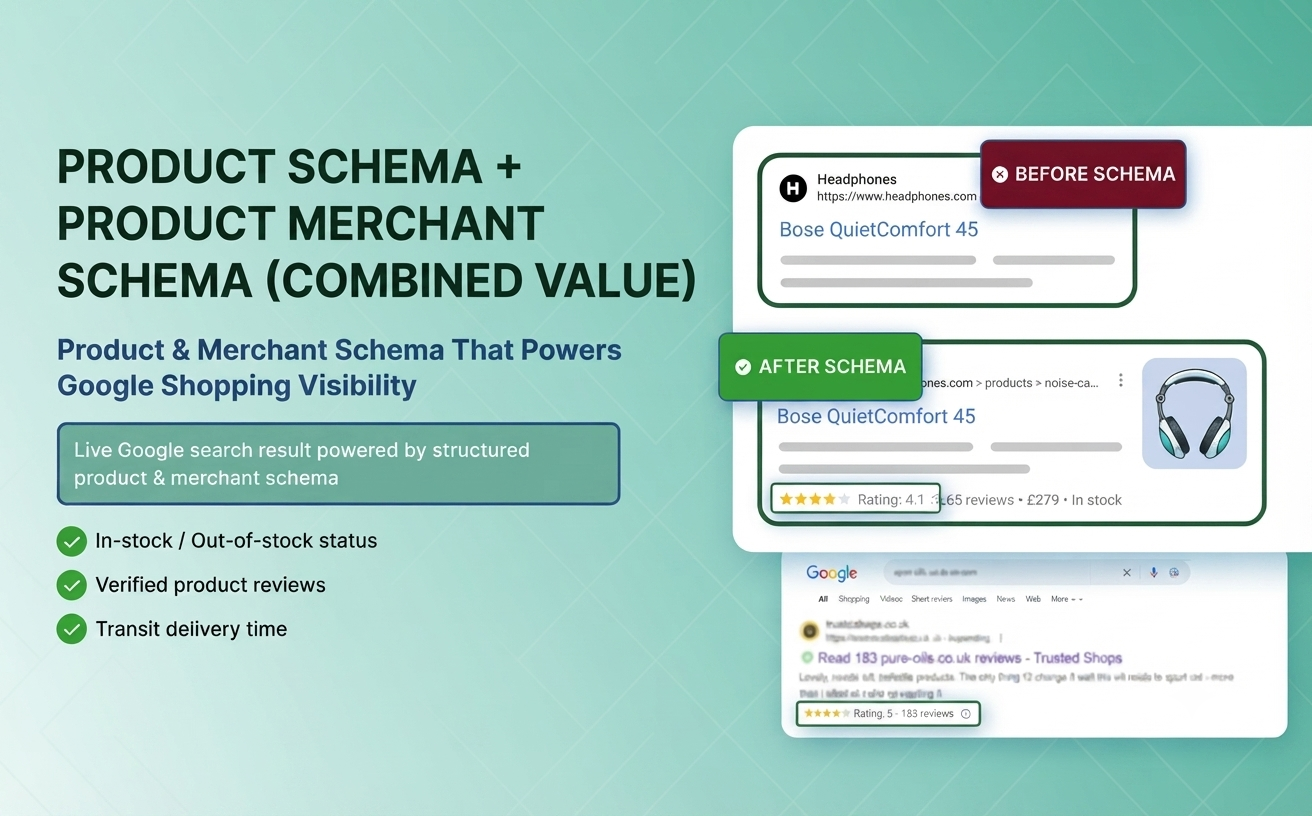
Google has introduced important improvements to its Merchant Listing structured data documentation, making it easier for eCommerce websites to provide richer product information in Google Search and Google Shopping.If you own an online store or manage SEO for an eCommerce website, these updates can help improve how Google understands your products and promotional pricing.Let's explore what's new and how you can implement these updates.
1. Better Product Categorization with Product.category
One of the major updates is the improved support for the Product.category property in structured data.Previously, many merchants relied only on product titles and descriptions for categorization. Now Google clearly explains that merchants can specify categories using both:
- Text
- CategoryCode
This aligns Product structured data with the Google Merchant Center attributes:
- product_type (Merchant-defined category)
- google_product_category (Google taxonomy)
Example
Instead of only writing:
Electronics
Electronics
You can now provide both:
- Electronics > Mobile Phones > Smartphones
- Google Product Category ID
This gives Google much clearer context about your products.
Benefits
- Better product classification
- Improved Shopping eligibility
- Enhanced understanding by Google's algorithms
- More accurate product matching
- Potential improvement in product visibility
2. Sale Duration Support for Structured Data
Google has also clarified how merchants should specify sale price effective dates.Many online stores display discounted prices without informing Google when the promotion starts or ends.The updated documentation introduces a dedicated Sale Duration section explaining how to use:
- validFrom
- validThrough
- priceValidUntil
These properties can be placed either on:
- Offer
- PriceSpecification
depending on your implementation.
Why This Matters
Imagine you're running a weekend sale:Regular Price: $150Sale Price: $99Offer Valid:
- Starts: July 10
- Ends: July 15
With structured data, Google now knows exactly when the discounted price should appear in Search and Shopping results.This helps avoid:
- Expired promotions
- Incorrect pricing
- Shopping feed inconsistencies
- User confusion
Best Practices
When implementing Product structured data:
✔ Use merchant-defined categories
Organize products exactly as they appear in your store.Example:
Home > Kitchen > Coffee Machines
✔ Include Google Product Categories
Map your products to Google's official taxonomy whenever possible.
✔ Define Sale Dates
Always specify:
- Sale start date
- Sale end date
- Price expiration date (if applicable)
✔ Keep Data Consistent
Ensure your:
- Website
- Structured data
- Merchant Center feed
all display the same pricing and category information.
SEO Benefits
Although structured data itself isn't a direct ranking factor, richer product information can improve Google's understanding of your inventory.Potential advantages include:
- Better product eligibility in Google Shopping
- More accurate search results
- Enhanced rich results
- Improved trust signals
- Better user experience
Who Should Implement These Updates?
These changes are especially important for:
- eCommerce websites
- Shopify stores
- WooCommerce stores
- Magento websites
- Custom online stores
- SEO professionals
- Digital marketing agencies
- Product feed managers
Final Thoughts
Google continues to improve how it understands product information. These documentation updates encourage merchants to provide more detailed category data and accurate sale timing using structured data.By implementing both Product.category enhancements and proper sale duration properties, businesses can create a stronger foundation for Google Search and Google Shopping visibility.If your store already uses Product structured data, now is an excellent time to review your implementation and ensure it aligns with Google's latest recommendations.